The new tool that transformed Luton’s intense migration into easy, 60-second tasks

Erik Erskine is a senior backend developer. He often takes the lead in our more challenging migrations, often for large third-level colleges and universities.
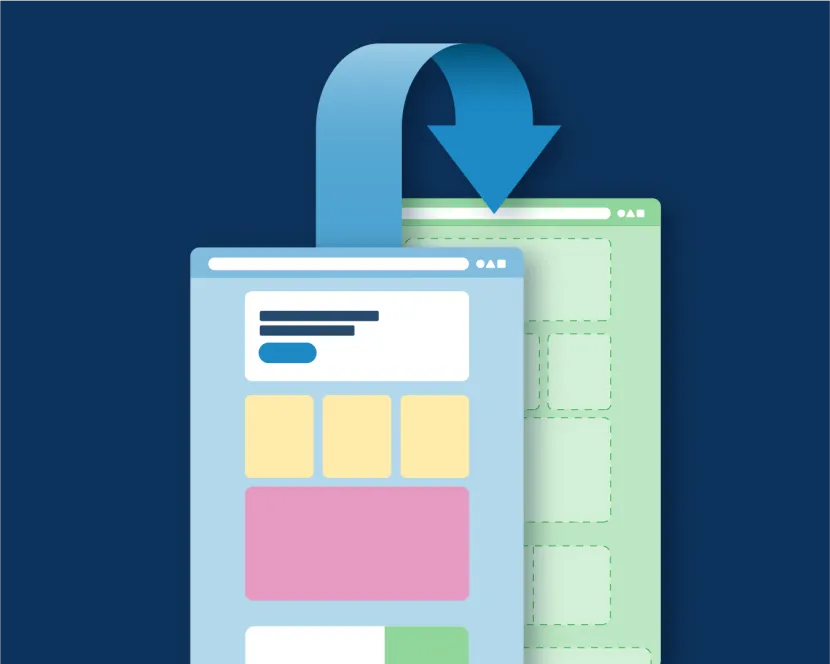
When a council moves to a new digital platform or gets a major upgrade to their current platform, the conversation almost always turns to the “M-word”: Migration.
For many authorities, migration is a daunting binary choice. You either spend months writing complex scripts to automate the move of thousands of pages (only to spend more months amending the “long tail” of variations), or you resign your team to months of soul-destroying manual copy-and-paste labour.
When Luton Borough Council recently moved to LocalGov Drupal, we proposed a third way. Rather than a fully automated migration or a purely manual one, Annertech developed a Single Page Migration tool – a migration assistant that gives content editors superpowers.
I recently showcased this tool at a LocalGov Drupal meet-up and at Drupal Developer Days in Athens. Here is the story of why we built it and how it’s changing the way councils think about content.
The 80/20 problem: Why automation often fails
The traditional migration approach often hits a wall. You can automate about 80% of the work easily, but the remaining 20% – inconsistent formatting, one-off components, or things that are just plain broken – takes 80% of the time to resolve.
Whatever number we come up with as an estimate is simultaneously too low and too high... You find there’s a long tail of little things to sort out that take a long time.
Luton had a specific challenge: 100 pages of election results. All of them were housed on the old site, filled with PDF links and specific formatting. It wasn't enough content to justify a massive, expensive automated migration script, but it was just enough to be a headache for the editorial team to do by hand.
Introducing an interactive approach
Our solution was to lean into the “assistant” model. We built a tool where an editor can take the URL of a page on the legacy site, paste it into the new Drupal CMS, click a button and correct anything that needs correcting. One page at a time.
The tool does the heavy lifting instantly:
- Scrapes the content: It pulls the H1 for the title, identifies the main body text and grabs the primary image.
- Handles media on demand: It doesn't just link to old images; it downloads them, creates a Drupal Media Entity, checks for duplicates, and assigns alt-text.
- Smart link transformation: If it finds a link to a PDF on the old Luton server, it automatically turns that link into a proper media entity in the new system, using the link text as the document title.
Crucially though, it doesn’t try to do everything. In order to keep development costs reasonable, we have to stop somewhere, and leave the rest to an editor.
Empowering the editor
The beauty of this Single Page Migration tool is that it puts the human in the loop at exactly the right moment.
When the editor clicks the button, they aren't looking at a blank screen. They are looking at a pre-populated service page. Most of the work is done, but the editor is right there to:
- Remove anything that doesn't fit the new content model (formatting styles, superfluous images, etc).
- Add a summary (which might not have existed on the old site).
- Place the page in the correct part of the new site hierarchy.
A page that would have taken 10 to 15 minutes to manually rebuild can now be “migrated” and cleaned up in about 60 seconds.
The tool was a gamechanger! It made page and doc migration to LocalGov Drupal so quick and simple. 10/10 tool.
Contribution
We’re in the process of contributing this work to the Drupal community. The first part of that is contributing three modules that form the underlying framework of this work:
- HTML to Entity – facilitates mapping at a high level. For example, a developer can write a plugin to say “on the old site, the date is in this specific CSS class; put it in the Drupal Date field”.
- Media on Demand – gives you a way to provide a URL and get back a media entity. Everything involved in that - downloading, detecting duplicates etc - happens behind the scenes.
- HTML Transformer – a low level mechanism for tidying up HTML prior to using it in Drupal, e.g. turning a <b> tag into a more semantic <strong>, or turning <img> into <drupal-media>.
These modules, designed to work for any Drupal site, have been contributed back so developers in the LocalGov Drupal community can extend them.
The next stage is for the rest of the LocalGov Single Page Importer demoed feature set to be contributed to provide an out-of-the-box example for council web teams.
Why this matters
This tool represents a fundamental shift. It acknowledges that local government content is often messy and legacy-heavy.
Annertech empathised with our issues and quickly rolled out a solution for content editors to meet the project deadlines.
By creating a powerful tool for content editors, we’ve removed the mountain of manual entry without the high cost and rigidity of full automation.
It’s a pragmatic, editor-first approach that helps councils get to Go Live faster, with cleaner content and a happier web team.
Erik Erskine is a senior backend developer. He often takes the lead in our more challenging migrations, often for large third-level colleges and universities.
Related Blog Posts
-
-
 15 August 2024
The risks of staying on Drupal 7 after end-of-life
-
 6 August 2024
Drupal 11 is here. This is what we’re excited about
Are you planning a move to LocalGov Drupal and worried about your legacy content?
Annertech has successfully migrated thousands of pages and content types, and we believe we will find the best solution for your needs.